 blade
Get your API key
blade
Get your API key Open Models Available now
Open models.
One familiar API.
Run open-weight LLMs through an OpenAI-compatible inference API. Keep your OpenAI SDK and use Blade’s European GPU infrastructure.
Start Building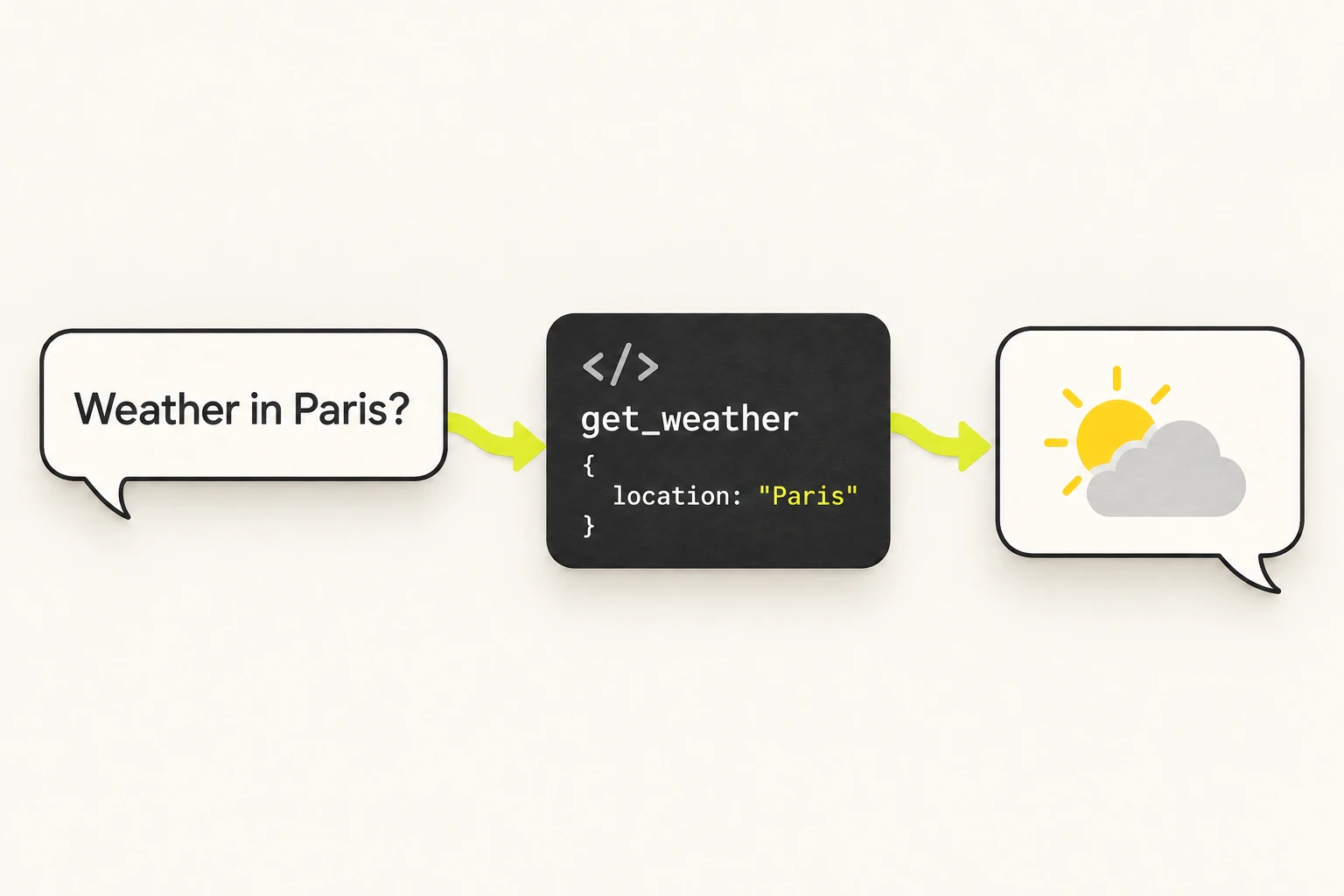
Test a prompt.
Take the code.
Try prompts in LLM Studio, adjust generation settings, then open “View code” for a Python, JavaScript or cURL example. Explore dedicated studios for audio, images, OCR and embeddings.
For current sources and calculations, add  Flash by Staan web search or the code interpreter. These tools require account activation and a model with tool calling.
“When should I use the median?”
Flash by Staan Web searchThe median is the middle value. It is less sensitive to extreme values than the mean.
10, 12, 14, 16, 98Explore
open-weight models.
Find a model for your workload. Prices are shown in EUR as From prices: the lowest each model’s dynamic multiplier can reach.
No models match your search.

qwen3.6-35b-a3b
Reasoning with a long context256k contextFrom €0.0808/1M input tokensqwen3-vl-30b-a3b
Image understanding32k contextFrom €0.101/1M input tokensqwen3.8-27b
Dense reasoning model64k contextFrom €0.0816/1M input tokens
gemma-4-26b-a4b
Long-context text generation256k contextFrom €0.0398/1M input tokensnemotron3-omni-30b
Vision and audio understanding128k contextFrom €0.06/1M input tokens
mistral-small-24b
Text generation32k contextFrom €0.034/1M input tokenslaguna-xs-2.1
Coding and reasoning128k contextFrom €0.0409/1M input tokensflux-2-klein
Image generationFrom €0.00132/imagevoxtral-mini-3b
Transcription and audio understanding8k contextFrom €0.000774/audio minutewhisper-large-v3-turbo
Speech to text30 s / segmentFrom €0.000155/audio minutegpt-oss-20b
Reasoning128k contextFrom €0.0183/1M input tokenshypernova-60b
Reasoning128k contextFrom €0.043/1M input tokensnemotron3-nano-30b
Long-context reasoning256k contextFrom €0.034/1M input tokens
deepseek-ocr-2
Document OCR8k contextFrom €0.0232/1M input tokenskokoro-82m
Text to speechFrom €0.00399/audio minuteqwen3-embedding-8b
Text embeddings7k contextFrom €0.00774/1M input tokens16 models · From prices in EUR, updated 30 September 2026: the lowest price the dynamic multiplier can reach for each model. Prices move within a per-model range. Check the console for current dynamic rates. How dynamic pricing works →
Use the OpenAI SDK
with Blade.
Start in Get started: create your key, copy an example and make your first call. Keep the OpenAI client you already use.
- Create a key with inference access. Save it when it is shown.
- Choose an available chat model and copy its model ID.
- Set your key and the Blade base URL, then send a request.
- Track requests, tokens and estimated cost in Usage.
import os
from openai import OpenAI

client = OpenAI(
    base_url="https://api.models.blade.sh/v1",
    api_key=os.environ["BLADE_API_KEY"],
)

response = client.chat.completions.create(
    model=os.environ["BLADE_MODEL"],
    messages=[{"role": "user",
               "content": "Hello, Blade."}],
)
print(response.choices[0].message.content)
Know what’s supported.
| Feature | Support on Blade |
|---|---|
| Authentication | Your Blade key, the Blade base URL and a model ID available to your account. |
| Chat Completions | /v1/chat/completions, with streaming and tool calling on supported models. |
| Other workloads | Audio, images and embeddings use their own API routes. Document parsing has dedicated endpoints. Start with the relevant studio’s code example. |
| Responses | Stateless requests. store: true and previous_response_id are not supported. |
| Server tools | Web search, web fetch and code execution require account access and a model with native tool calling. |